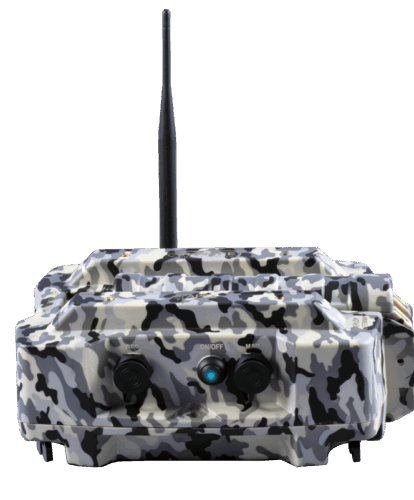
PigView Desktop is purpose-built for technicians working in remote pipeline environments where cellular, Wi-Fi, or satellite service may be unavailable or unreliable.
It provides a stable, long-range Bluetooth connection directly to APEX AGMs from a laptop in the truck, allowing operators to monitor pig passages, listen to geophone audio, view magnetic field waveforms, and download trip data without internet access.
When connectivity is restored, all collected data automatically synchronizes to PigView Web, eliminating manual steps, preventing data gaps, and ensuring field operations continue without interruption.
What Is PigView Desktop?
PigView Desktop is a local software application that allows users to connect directly to APEX AGMs via Bluetooth, retrieve pig tracking data, and manage field workflows without relying on continuous connectivity. It plays a critical role in ensuring that data collected in the field is not delayed, lost, or dependent on immediate cloud access.
Before PigView Desktop, connecting to APEX AGMs in the field required an Android device, forcing technicians to carry extra equipment and rely on ideal line-of-sight conditions. In remote areas without cellular or satellite service, real-time monitoring and data downloads were slow or limited, making pipeline pig tracking more complicated than it needed to be, especially when laptops were already available in the truck.
Do we want to put here basic specs for requirements to run PigView?
Our Products
Questions? You’re covered
PigView Desktop — FAQs
Explore our complete Contact us today to schedule a demo or discuss how APEX system can optimize your pipeline monitoring program.
01. What is PigView Desktop used for?
PigView Desktop is used to retrieve and manage pig tracking data from AGMs in the field, especially in locations without reliable internet access.
02. Does PigView Desktop require special software to retrieve data?
No. PigView Desktop provides direct access to AGM data without requiring additional tools, and synchronizes automatically with PigView Web when connectivity is restored.
03. How does PigView Desktop differ from PigView Web?
PigView Desktop is designed for offline, field-based workflows, while PigView Web provides cloud-based monitoring, management, and analysis.